
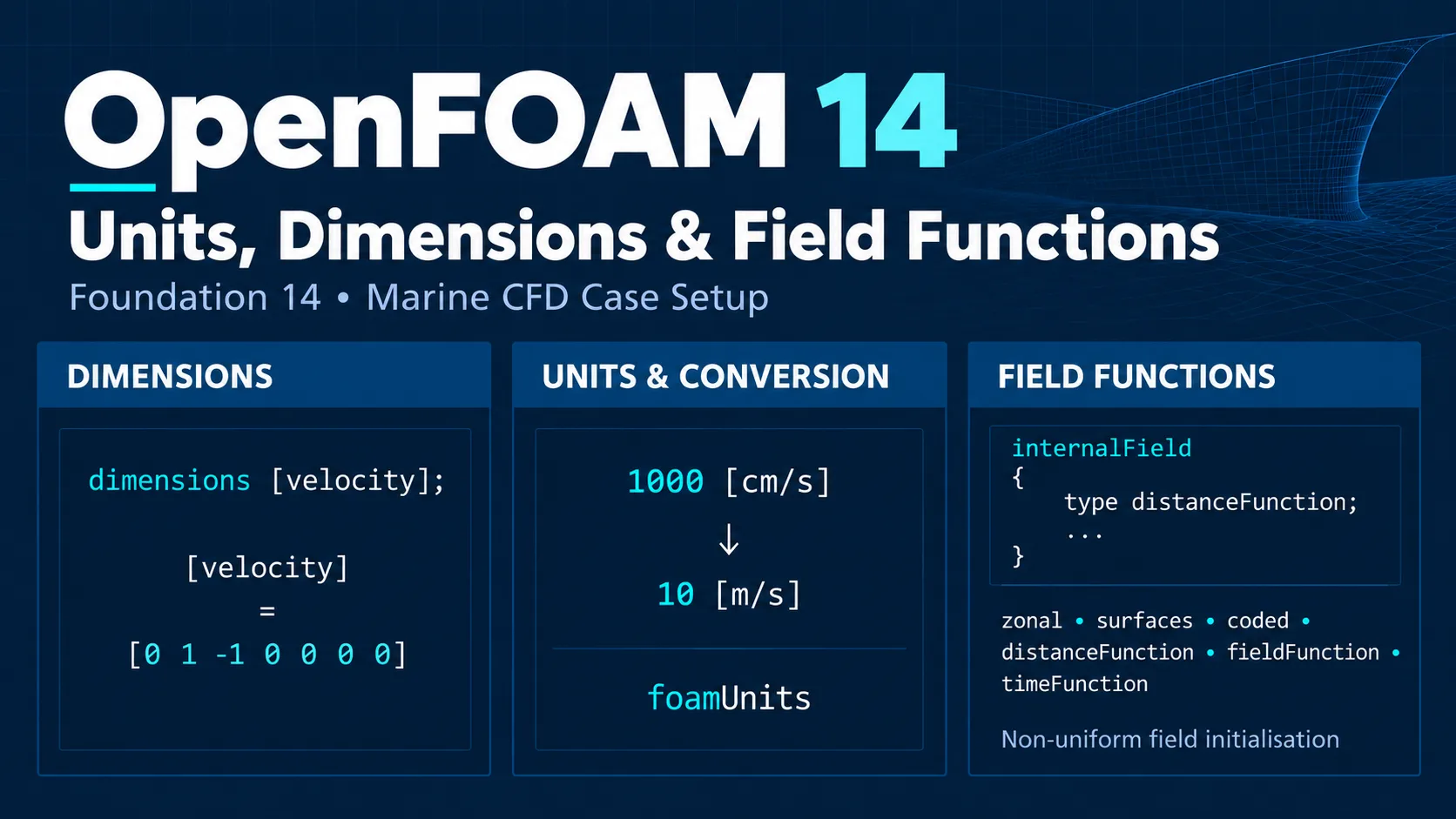
OpenFOAM Units, Dimensions and Field Functions in Foundation 14
OpenFOAM Units in Foundation 14 are part of a broader input system for dimensions, unit conversion and field initialisation. Named dimensions improve readability, numerical inputs can carry recognised units that are converted when read, the foamUnits application can inspect dimensions and unit conversions, and field functions can initialise non-uniform fields directly inside field files. [1] [2] [3] [5]
This guide explains dimensions, units, unit conversion and field functions for marine CFD without treating unit consistency as a substitute for physical similarity or validation. Detailed VOF and wave initialisation are intentionally outside the scope of this article.
Previous article: we covered field boundary logic in OpenFOAM Boundary Conditions for Marine CFD. To browse the rest of the series and other technical work, visit Ocean Tech Review Projects.
For marine-CFD context, this article also references the ITTC 2024 guidelines for Ship CFD Applications and Ship Resistance CFD.
1. Dimensions, Units and Numerical Values Are Different Concepts
OpenFOAM distinguishes between a quantity’s physical dimensions, the unit used to supply a value, and the numerical value itself. For velocity, the physical dimensions are L T−1, while the same velocity can be written in different units such as 10 [m/s] or 1000 [cm/s]. A unit conversion changes the numerical representation, not the physical dimensions. [1]
Describe the physical type of a quantity.
Describe the measurement scale used for an input value.
This distinction is the foundation for understanding named dimensions, unit conversion and field initialisation in OpenFOAM 14.
2. The Seven Fundamental Dimensions in OpenFOAM
OpenFOAM represents dimensional information using seven exponents in the following order:
[mass length time temperature quantity current luminousIntensity]For example, velocity has dimensions L T−1 and therefore the traditional OpenFOAM dimension vector:
[0 1 -1 0 0 0 0]Kinematic viscosity has dimensions L2 T−1 and can be written as:
[0 2 -1 0 0 0 0]Physical pressure has dimensions M L−1 T−2, corresponding to [1 -1 -2 0 0 0 0]. [1]
3. Dimensional Consistency Is Not the Same as Physical Correctness
OpenFOAM uses dimensional information to check whether operations involving dimensioned quantities are compatible. This catches an important class of configuration and calculation errors. [1]
Important: dimensional consistency does not prove that a value is physically appropriate. A viscosity can have the correct dimensions and still be unrealistic for the fluid or operating condition being simulated.
Dimensions provide a consistency check. Validation of the physical model, operating point and numerical setup remains an engineering task.
4. Named Dimensions in OpenFOAM 14
OpenFOAM 14 supports descriptive named dimensions. Instead of writing velocity as:
dimensions [0 1 -1 0 0 0 0];the field can use:
dimensions [velocity];Kinematic viscosity can similarly be expressed as [kinematicViscosity], [sqr(length)/time] or [area/time]. Foundation 14 recommends the named form because it is easier to interpret, and the v14 example cases use named dimensions in their input files. [1] [5]
Practical rule: for new Foundation 14 cases, prefer a readable named dimension when a suitable one exists.
5. Do Not Infer Field Dimensions from the Field Name Alone
The name of a field is not sufficient to determine its dimensional meaning. Physical pressure has dimensions M L−1 T−2, but an incompressible OpenFOAM formulation can use kinematic pressure with dimensions equivalent to L2 T−2. Foundation 14 explicitly distinguishes pressure in compressible and incompressible post-processing. [6]
This is especially important in marine CFD, where incompressible formulations are common. Fields such as p and p_rgh must be interpreted from the solver formulation and their actual dimensions entry rather than from the field name alone.
For a detailed discussion of field boundary behaviour, see our previous guide: OpenFOAM Boundary Conditions for Marine CFD.
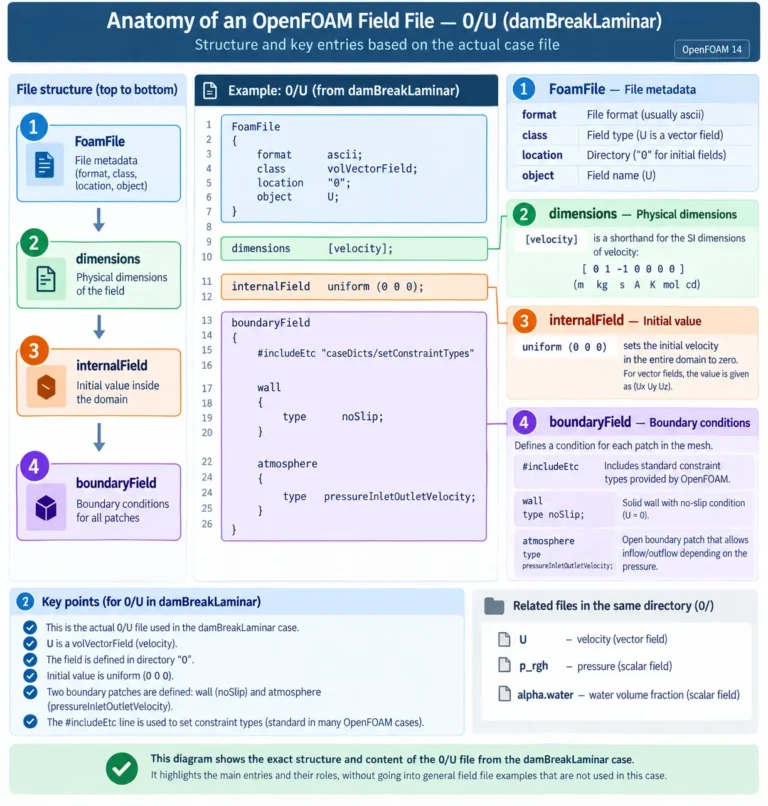
6. dimensions, internalField and boundaryField
A typical OpenFOAM field file contains dimensions, internalField and boundaryField, with sources available where required. [1]
dimensions      [velocity];

internalField   uniform (0 0 0);

boundaryField
{
    ...
}
The entries have different roles: dimensions identifies the physical dimensional structure, internalField defines values inside the domain, and boundaryField defines behaviour on mesh patches.
Changing internalField uniform (0 0 0); to internalField uniform (5 0 0); changes the initial velocity but does not change the fact that the field has velocity dimensions.
7. Unit Sets in OpenFOAM 14
Dimensions do not themselves define a unit system. OpenFOAM 14 uses SI as the default unit set and provides configured alternatives including CGS and USCS. Unit definitions and conversions are managed separately from the underlying dimensions. [1] [5]
[velocity] describes a dimensional type. [m/s] or [cm/s] describes a unit used to supply a numerical value.
8. Supplying Units Directly with Input Values
OpenFOAM 14 allows recognised units to be attached directly to numerical parameters. Foundation documentation gives the following velocity boundary example: [1]
inlet
{
    type    fixedValue;
    value   uniform (1000 0 0) [cm/s];
}
With the default SI unit set, the supplied vector is converted when read to the equivalent base-unit value:
(1000 0 0) [cm/s]
→
(10 0 0) [m/s]
This can preserve the engineering unit in the case file while allowing OpenFOAM to work with a consistent base representation.
9. Composite Units
Unit expressions can combine recognised units using exponents and division. Examples documented by Foundation 14 include forms such as:
[cm/s]
[cm s^-1]
[m^2/s]
[kg/m^3]
[l/s]
[ft/s]
OpenFOAM can therefore read a supported unit from another unit family and convert it into the configured base representation. [1]
10. Dimensioned Parameters and Unit Checking
Many physical parameters are represented by dimensioned OpenFOAM types whose expected dimensions are defined in the code. The user can often supply only the numerical value, or can add explicit units for clarity and checking. [1]
rho 1000 [kg/m^3];
nu  1e-5 [m^2/s];
A recognised non-base unit can also be used. Foundation 14 explicitly documents:
nu 10 [cSt];For a dimensioned parameter, the supplied units are checked against the dimensions expected by the parameter.
11. Why Explicit Units Can Improve Traceability
Consider:
nu 1e-6;and:
nu 1 [cSt];In a compatible SI setup, they can represent the same kinematic viscosity. The second form, however, preserves the original engineering unit directly in the input. That can make a case easier to audit and review later.
Traceability is not validation. An explicit unit documents how the value was supplied; it does not prove that the value is correct for the fluid.
12. The foamUnits Utility
OpenFOAM 14 replaces the earlier foamUnits script with an application that can list dimensions and units and calculate conversions. [2] [5]
foamUnitsA named dimension can be inspected directly:
foamUnits pressureDetailed output is available with:
foamUnits -allConversions between compatible units can also be calculated:
foamUnits cal "lbf*m"
foamUnits -value cal "lbf*m"
Do not guess unit or dimension names. Use foamUnits to inspect what Foundation 14 actually recognises.
13. Units in Function1
Unit handling also applies inside Function1 configurations. Foundation 14 documents a sine function for a volumetric flow rate with explicit units: [1]
volumetricFlowRate
{
    type        sine;
    level       0.15 [l/s];
    amplitude   0.05 [l/s];
    frequency   0.002 [Hz];
}
This is important because Function1 is used by several OpenFOAM features, including some field functions and boundary-condition parameters.
14. Function1 and Field Functions Are Not the Same Thing
Function1 and field functions are related but different frameworks.
Defines a function of one independent variable.
Generates a distribution of field values.
Three general field functions use Function1: distanceFunction, fieldFunction and timeFunction. Their independent variables are distance, another field and time, respectively. [3]
15. Units in blockMesh
OpenFOAM 14 extends explicit units into mesh configuration. The v14 release notes document an additional units control in blockMesh, allowing:
units [mm];instead of relying only on a scale factor such as:
scale 0.001;The release also documents unit or scale-factor support for searchable surfaces in snappyHexMesh. [5]
These controls make the intended source unit clearer, but geometry scale should still be verified explicitly.
16. Typed Macros and Unit Conversion
OpenFOAM 14 also supports unit-aware typed macros in inline calculations. Foundation documentation gives the following example: [1]
nu  10 [cSt];
rho 1000 [kg/m^3];

mu  #calc "$<scalar>nu*$<scalar>rho";
The typed macro reads the converted scalar values before multiplication. Foundation explicitly notes that typed macros support unit conversion, whereas ordinary string-style macro expansion does not provide the same behaviour in this calculation.
17. uniform, nonuniform and Field Functions
Foundation 14 documents three broad ways to specify an internalField: [1] [3]
| Form | Typical role | Concept |
|---|---|---|
uniform |
Simple initialisation | One value throughout the internal field |
nonuniform |
Written solution fields | Explicit values for field elements |
| Field function | Non-uniform initialisation | Generate the field from a configuration |
A field function is therefore not another unit system. It is a method for producing the distribution of values.
18. Why Field Functions Were Introduced in OpenFOAM 14
Before v14, a common workflow for non-uniform initialisation was to configure a uniform field, run a preprocessing utility such as setFields, and write a new non-uniform field. Foundation 14 introduced field functions so that non-uniform fields can be initialised directly inside field files. [3] [5]
setFields
internalField { type ...; }
Field functions do not make setFields universally obsolete; they provide a direct alternative when their available functionality matches the required initialisation.
19. The Six General Field Functions in Foundation 14
Foundation 14 documents six general field-function types: [3]
They address different initialisation problems and should be selected from the structure of the required field, not from convenience alone.
20. zonal: Region-Based Field Initialisation
The zonal field function assigns values in different mesh zones. A default value can be defined and then overridden in selected regions. [3]
internalField
{
    type            zonal;
    defaultValue    1 [bar];

    zones
    {
        lowPressure
        {
            type     box;
            box      (0 -1 -1) (5 1 1);
            value    0.1 [bar];
        }
    }
}
The physical values in a real marine case must come from the actual problem; the important mechanism is the zone-based assignment.
21. surfaces: Initialisation Across Geometric Interfaces
The surfaces field function defines regions separated by surfaces. Foundation 14 demonstrates it with geometric/searchable surfaces in multiphase initialisation. [3]
A key distinction is that surfaces can perform cell cutting and assign intermediate values to cells intersected by an interface. The zonal field function does not perform this surface cutting.
This article uses the Foundation multiphase example only to explain the field-function mechanism. A complete VOF free-surface initialisation workflow is intentionally outside scope.
22. coded: Custom Field Initialisation
The coded field function allows the field distribution to be described using dynamically compiled OpenFOAM code. Foundation 14 documents evaluate for initialisation and update for updates during the simulation. [3]
Because coded provides the greatest flexibility but also the greatest complexity, Foundation recommends checking whether one of the simpler predefined field functions can represent the required distribution first.
Use coded when necessary, not by default.
23. distanceFunction: A Function of Position
distanceFunction calculates field values using a Function1 of distance measured along a specified direction. [3]
internalField
{
    type        distanceFunction;
    direction   (1 0 0);

    function
    {
        type     table;
        ...
    }
}
This is suitable for initial profiles that vary systematically with position without writing one explicit value for every cell.
24. fieldFunction: A Function of Another Field
The fieldFunction type generates one field as a Function1 of another field. Foundation 14 demonstrates the mechanism using a field that depends on temperature. [3]
type    fieldFunction;
field   T;
Conceptually, the configured relationship is evaluated as output field = f(input field). It does not introduce a new governing equation; it evaluates the prescribed relationship.
25. timeFunction: A Prescribed Function of Time
timeFunction generates a quantity from a Function1 of time. [3]
This is appropriate where the value is intentionally prescribed as a function of time. It should not be interpreted as a replacement for the governing equation of a field that the solver is intended to evolve dynamically.
26. Field Functions in Boundary Conditions
Field functions are not limited to internalField. OpenFOAM 14 introduces the functionalFixedValue boundary condition, which can use a field function to prescribe a non-uniform fixed-value distribution on a patch. [4] [5]
The Foundation documentation includes the following pattern:
inlet
{
    type    functionalFixedValue;

    value
    {
        $internalField;
    }
}
This can reuse the field-function definition used by the internal field when that is appropriate for the physical setup.
For the broader boundary-condition context, see our previous article: OpenFOAM Boundary Conditions for Marine CFD.
27. Field Functions as Boundary-Condition Parameters
Foundation 14 also allows field functions for selected parameters in some boundary conditions. The documentation gives examples including functional inputs associated with pressureInletOutletVelocity and freestream-related conditions. [4]
Do not generalise this to every boundary-condition keyword. Check the documentation for the specific boundary condition and parameter being configured.
28. Applied Field Functions and the Scope of This Article
Foundation 14 includes specialised field functions for particular applications. These include atmospheric-boundary-layer functions and surface-wave functions such as waveAlpha and waveVelocity. [3]
They are relevant here because they demonstrate that the field-function framework extends beyond the six general types. Their full configuration, however, requires application-specific setup.
Outside this article: complete VOF initialisation, wave generation, wave absorption, waveProperties and wave-tank configuration.
29. Field Functions Do Not Change Field Dimensions
A field function changes how values are generated; it does not redefine the physical dimensions of the target field. A velocity field remains a velocity field whether it starts from a uniform vector or a spatially varying field function. [1] [3]
30. Marine CFD: Unit Consistency Is Not Hydrodynamic Similarity
Correct unit handling is necessary in marine CFD, but it is not the same as dynamic similarity. ITTC identifies Reynolds and Froude numbers as two main non-dimensional parameters for viscous/turbulent free-surface ship flow. [8]
Reynolds number:
Re = ρ V LPP / μ
Froude number:
Fr = V / √(g LPP)
Here μ is the dynamic viscosity. ITTC states that the CFD setup should ensure the relevant dynamic similarity in terms of the applicable non-dimensional numbers. [8]
The more general ITTC ship-CFD guideline also defines Reynolds and Froude numbers in the context of model- and full-scale ship hydrodynamics and notes the common incompressible treatment of air and water for the covered applications. [7]
A case can use perfectly consistent units and still represent the wrong operating condition. Unit conversion and hydrodynamic similarity solve different problems.
31. Marine Geometry: Scale and Coordinate-System Consistency
Unit-aware mesh input can make geometry scale clearer, but scale is not the only geometric consistency issue. ITTC recommends careful choice of the reference coordinate system and, where practical, using the same coordinate system between CAD geometry and CFD preprocessing to reduce the chance of mistakes. [7]
Verify the actual length scale used by the imported or generated geometry.
Verify origin, orientation and consistency with the CFD reference frame.
32. A Practical OpenFOAM 14 Workflow
A defensible workflow for units, dimensions and field functions is:
| Step | Action | Reason |
|---|---|---|
| 1 | Identify the physical quantity | Establish what the field or parameter represents. |
| 2 | Verify expected dimensions | Use the solver/model formulation, not the field name alone. |
| 3 | Prefer named dimensions | Improve readability in Foundation 14 cases. |
| 4 | Use explicit recognised units when useful | Improve traceability and enable automatic conversion. |
| 5 | Check with foamUnits |
Avoid guessing available names or conversions. |
| 6 | Choose uniform or non-uniform initialisation | Match the required starting field. |
| 7 | Select the simplest suitable field function | Avoid unnecessary complexity. |
| 8 | Verify the generated field | Syntax correctness does not guarantee physical correctness. |
For more OpenFOAM tutorials and marine CFD workflow articles, browse the Ocean Tech Review Projects page.
33. Common Mistakes with Units, Dimensions and Field Functions
1. Treating dimensions and units as synonyms
[velocity] defines a dimensional type; [m/s] is a measurement unit.
2. Assuming every p field is pressure in pascals
In incompressible formulations, pressure can be kinematic. Check the field dimensions and solver formulation.
3. Assuming dimension checking validates the complete physical setup
A value can be dimensionally valid and physically wrong.
4. Guessing units instead of checking foamUnits
Use the v14 utility to inspect supported units, dimensions and conversions.
5. Treating Function1 and Field Functions as synonyms
They are related frameworks with different roles.
6. Using coded when a simpler field function is sufficient
Choose the least complex mechanism that accurately represents the required distribution.
7. Assuming Field Functions universally replace setFields
They provide a direct alternative for many initialisation tasks, not a universal replacement for all preprocessing workflows.
8. Copying a field function without checking dimensions
The generated values must still be appropriate for the target field.
34. Frequently Asked Questions
Are named dimensions mandatory in OpenFOAM 14?
No. The exponent notation remains valid, but Foundation 14 recommends named dimensions and uses them in v14 example input files. [1]
Is [velocity] the same as [m/s]?
No. [velocity] describes physical dimensions; [m/s] specifies a unit.
Can OpenFOAM 14 convert units automatically?
Yes. Recognised units supplied with values are converted when the data are read. [1]
Can I use [cm/s] or [ft/s] in an SI case?
Yes, where those recognised units are defined. Foundation 14 documents both forms as examples of unit conversion. [1]
Can I enter kinematic viscosity in centistokes?
Yes. Foundation 14 explicitly documents nu 10 [cSt];. [1]
How do I see available units and named dimensions?
Use foamUnits, and inspect a specific entry by passing its name as an argument. [2]
Do Field Functions replace setFields?
Not universally. They provide direct, local initialisation for many non-uniform fields. [3]
Can Field Functions be used on boundaries?
Yes. Foundation 14 includes functionalFixedValue and supports field functions for selected boundary-condition parameters. [4]
35. References
The OpenFOAM syntax and v14-specific behaviour in this guide are grounded in OpenFOAM Foundation documentation and release notes. The marine-CFD context for Reynolds/Froude similarity and coordinate-system practice is supported by the two ITTC Recommended Procedures and Guidelines listed below.
- OpenFOAM Foundation 14 User Guide — Basic Input/Output File Format
- OpenFOAM Foundation 14 User Guide — Case Management and foamUnits
- OpenFOAM Foundation 14 User Guide — Field Functions
- OpenFOAM Foundation 14 User Guide — Field Functions in Boundary Conditions
- OpenFOAM Foundation — OpenFOAM 14 Release Notes
- OpenFOAM Foundation 14 User Guide — Post-processing Functionality
- ITTC 7.5-03-02-03 — Practical Guidelines for Ship CFD Applications, Revision 02 (2024)
- ITTC 7.5-03-02-04 — Practical Guidelines for Ship Resistance CFD, Revision 02 (2024)
36. Choosing Units, Dimensions and Field Functions from the Physics
OpenFOAM 14 makes dimensional input more readable and field initialisation more self-contained. Named dimensions clarify the physical identity of a field; explicit units make input values easier to audit and allow controlled conversion; foamUnits provides a direct way to inspect available dimensions and units; and field functions can generate non-uniform initial fields without a separate preprocessing step in many cases. [1] [2] [3] [5]
The key is to keep the roles separate: dimensions describe the physical type, units describe how a value is supplied, and field functions describe how field values are distributed. None of these mechanisms replaces physical validation of the marine CFD setup.